The teleprompter that listens.writes.researches.records.
Confidant digs into what your competitors post, writes your scripts in your voice, then scrolls them as you talk and records the take. One app, in your browser or on your Mac, from idea to posted video, for lawyers, contractors and owners who know their business cold and freeze when the camera turns on.
Research, write, record. In one place.
Other teleprompters start when you already have a script. Confidant starts before that.
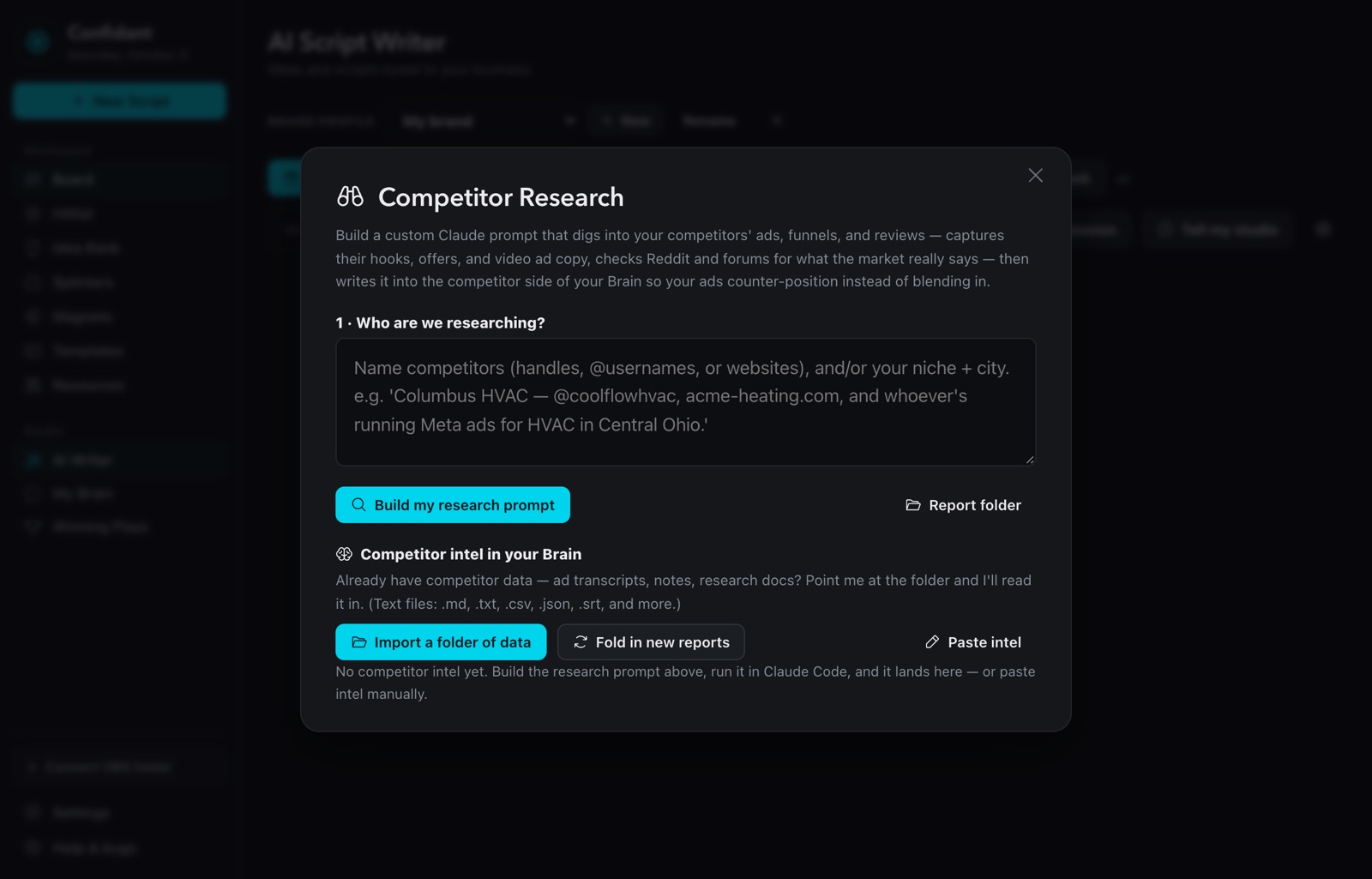
See what competitors post
Name your competitors or your niche and city. Confidant builds the research brief, Claude digs through their ads, funnels and reviews, and the findings land in your Brain.
It learns your business
A short interview, your website and your notes become a Brain that knows your offer, your clients and how you talk.
Scripts in your voice
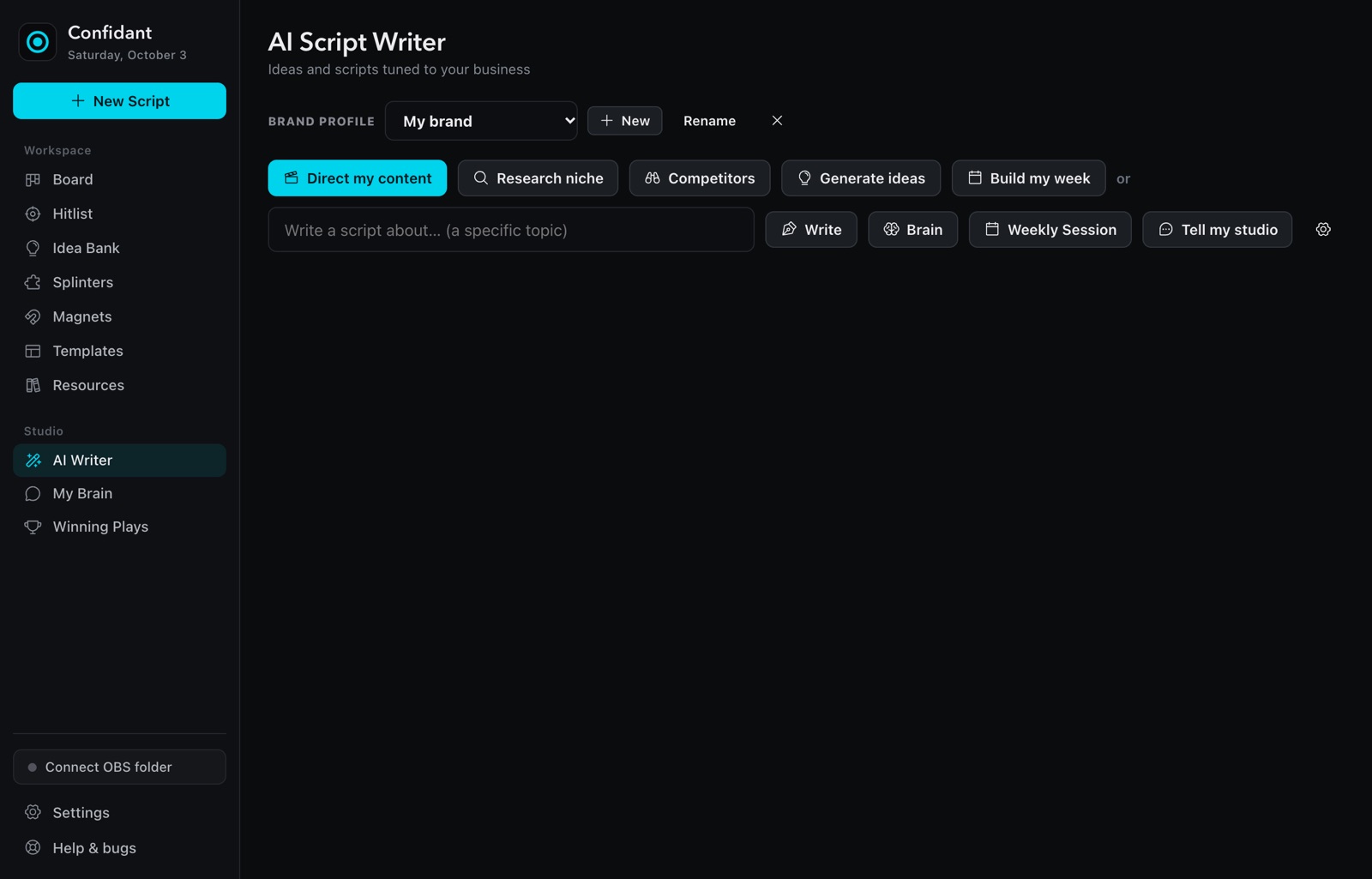
Hooks, short videos, ads and a full week of content, written from your Brain and aimed at the gaps your competitors leave open.
Record in the teleprompter
The script scrolls as you talk and the camera records behind it. Mark the take and the next script loads.
From blank page to posted video, in one app.
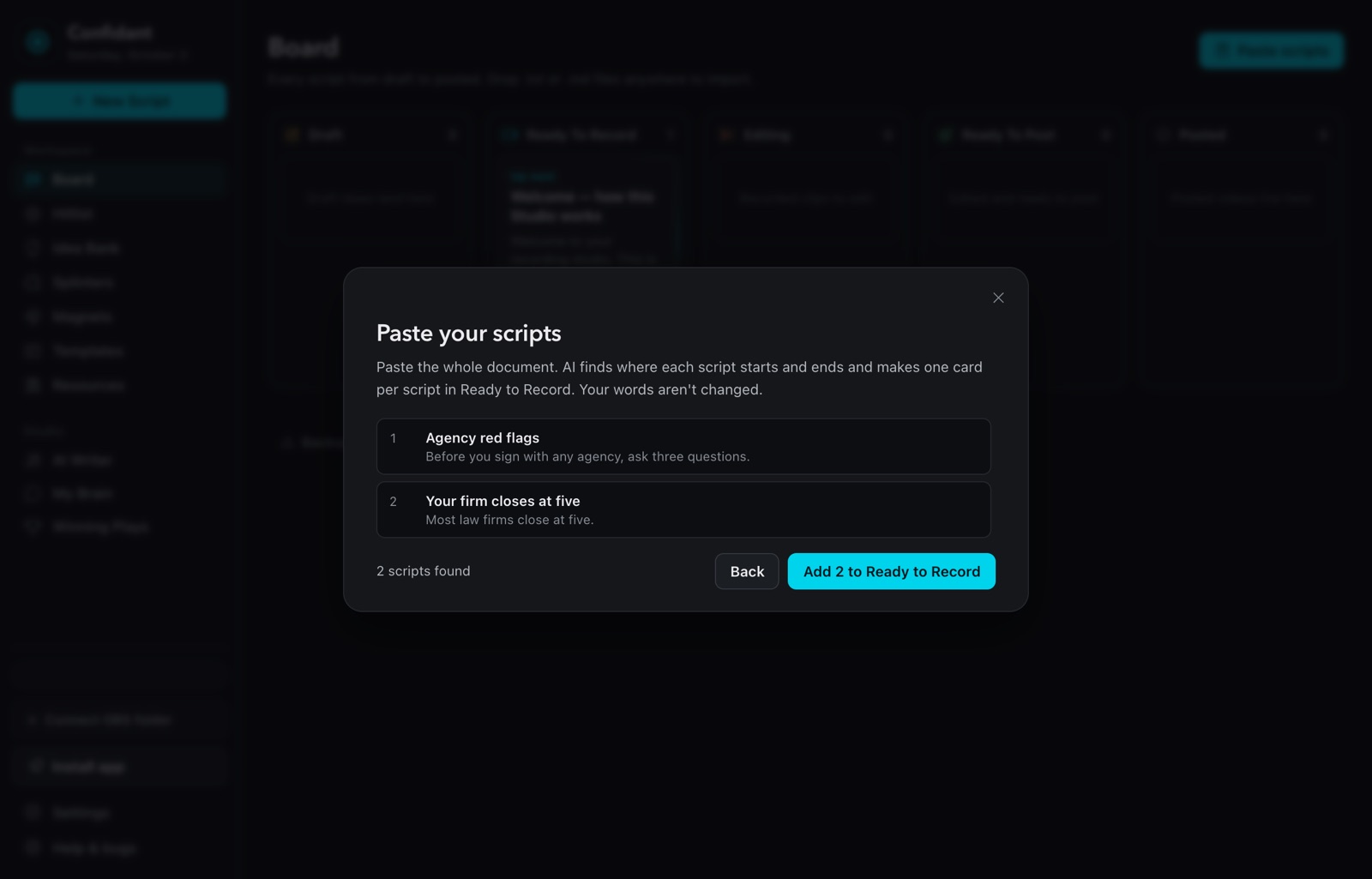
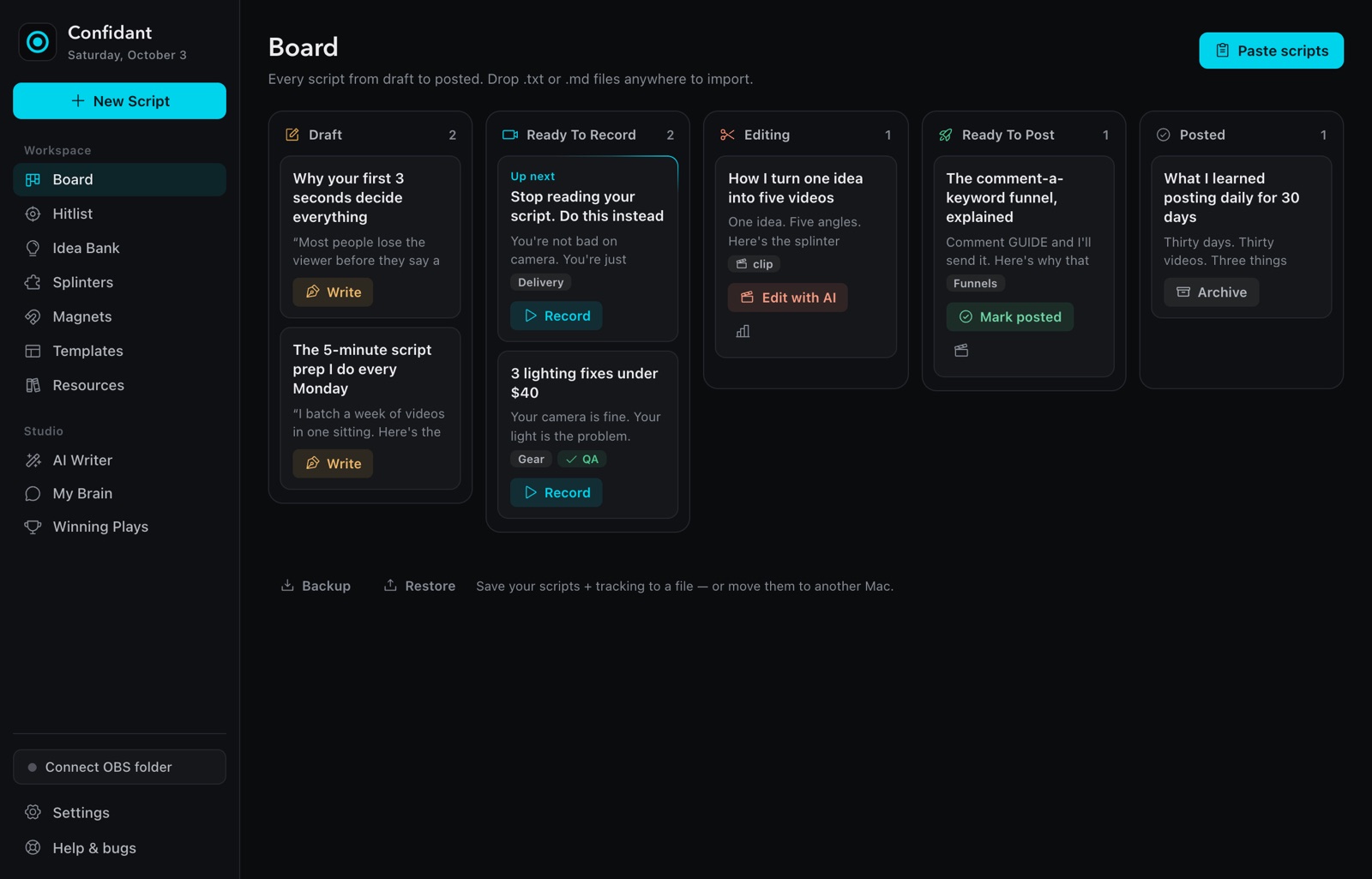
Everything below is the real app. No mockups.
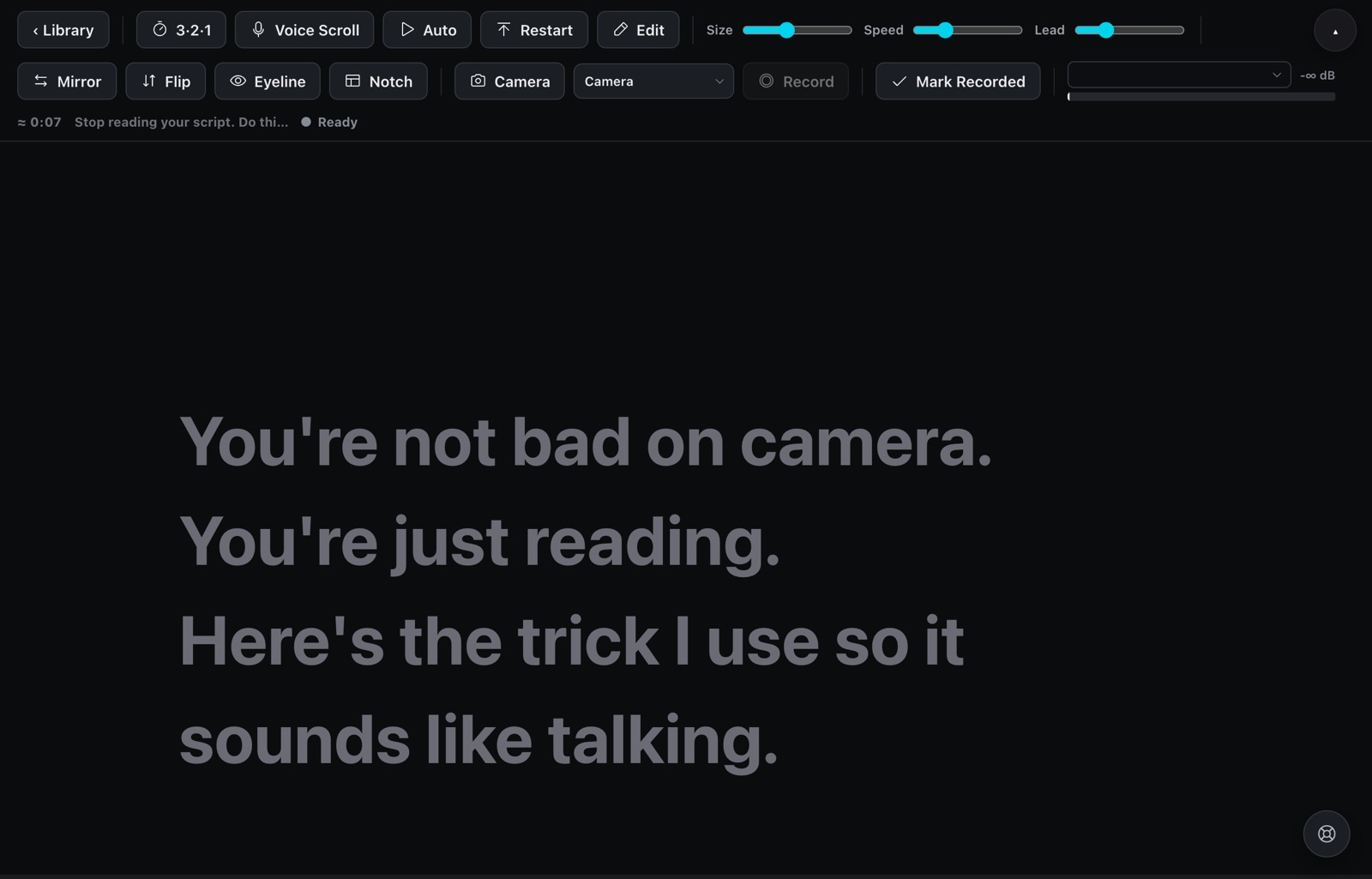
Scripts that sound like you, not like a template.
Examples of the short, plain scripts Confidant writes once it knows your business. Yours will use your own offer, city and clients.
You know your work. The camera is the hard part.
Most business owners don't need to become creators. They need to record ten clear videos without staring at a script, losing their place, or starting over.
- Attorneys explaining a process clients worry about
- Contractors walking through a job or a common mistake
- Coaches and consultants turning what they say on calls into posts
The teleprompter is free. The studio is Pro.
| Free | Pro | |
|---|---|---|
| Teleprompter | ||
| Unlimited scripts and the board | ||
| Auto scroll, mirror, flip, eyeline and notch modes | ||
| Camera behind the script, mic and camera picker | ||
| Voice Scroll that follows what you say | – | |
| Record to a clip, 3-2-1 countdown, OBS auto-record | – | |
| AI studio | ||
| Your Brain: interview, chat and weekly sessions | – | |
| AI script writer, Build my week, Winning Ad, long-form | – | |
| Paste scripts: one doc in, one card per script | – | |
| Lead magnets and the page builder | – | |
| Niche research, competitor intel, idea bank, templates | – | |
| Send clips to the AI video editor | – | |
Other teleprompters scroll. Confidant also writes.
An honest look, including what we don't do.
| Confidant | Teleprompter.com | BIGVU | Notch apps (e.g. Notchie) | |
|---|---|---|---|---|
| Price | Free, or Pro $29/mo · $249/yr | Free with watermark; Pro $19.99/mo or $7.50/mo billed yearly | Free; yearly plans $149 to $589 a year (Super Agent $2,868) | Notchie $29.99 once; CueNotch free or $29.99 lifetime |
| Trial | 14 days of Pro, no card | 7 days on yearly plans, 30-day money back | Not stated | Notchie: 30-day money back |
| Scroll follows your voice | Yes | Yes (VoiceGlide) | Pauses when you pause | Yes |
| AI script writing | Yes | Yes (AI Script Generator) | Yes (AI Writer) | CueNotch polishes text; Notchie not stated |
| Learns your business (interview, website, notes) | Yes, your Brain | Not stated | Not stated | Not stated |
| Competitor research into your scripts | Yes | Not stated | Not stated | Not stated |
| Board from draft to posted | Yes | Not stated | Not stated | Not stated |
| Where it runs | Mac, plus a browser version (iPhone too) | iOS, Android, macOS, web | iPhone, Android, web | Mac |
From each company's own website on October 3, 2026. Prices and features change, so check their sites. "Not stated" means we couldn't find it on their site, not that it doesn't exist. Full comparisons with sources.
Try everything for 14 days.
No card to start. When the trial ends you drop to Free and keep your scripts. Upgrade whenever you want the studio back.
Free
- Teleprompter with auto scroll
- Unlimited scripts and the board
- Camera, mirror and eyeline modes
Pro
- Everything in Free
- Voice Scroll and recording
- AI writer and your Brain
- Paste a doc of scripts, get cards
- Lead magnets, research and competitor intel
The AI features use your own Claude or OpenAI API key, so your writing goes straight to that provider and the usage cost is theirs, usually a few cents a script. Prices in USD. 14-day refund on your first payment.
Before you download.
No. Open the app, enter your email, and Pro is on for 14 days. If you don't add a card, you move to Free on day 15 and keep everything you made.
On your Mac. Scripts, recordings and your Brain live in the app on your computer. Our server only knows your email and your plan.
The writing features run on Claude or OpenAI with your key, so nothing you write passes through us and you only pay the provider for what you use. The setup screen walks you through getting a key in about two minutes.
Yes. Pick any USB or built-in mic and camera inside the app. Virtual audio devices like BlackHole are skipped, because the voice listener needs a real microphone.
The teleprompter itself is free, forever. Pro pays for the parts that keep working for you every week: the script writer, your Brain, competitor research and recording. If you only want a teleprompter, stay on Free.
Not with AI. Eyeline mode keeps the line you're reading right under the camera, and notch mode puts it just below the MacBook camera, so your eyes stay close to the lens while you read.
Not yet. Confidant is for macOS on Apple Silicon and Intel Macs.
Click Billing in the app's sidebar to open the Stripe portal, then cancel. You keep Pro until the end of the period you paid for.
Use it in your browser or on your Mac.
Free to start. Pro is on for your first 14 days.
On a Mac
- Open the downloaded file and drag Confidant into Applications.
- The first time, macOS may say it can't check the app. Open System Settings → Privacy & Security, scroll down, and click Open Anyway.
- Enter your email to start the trial, then add your AI key when it asks.